
In the first quarter of 2023 alone, nearly 6.5 million data records were leaked in worldwide security breaches.
Many of those affected were small businesses.
With cyber-attacks becoming increasingly sophisticated, protecting your customers' sensitive information is essential.
Using only secure web forms shields your business from data breaches and builds your customer's trust.
Don't wait until it's too late – today, we'll show you how to tackle data security and what secure web forms to use.
What is a secure web form?
A secure web form is a digital safety vault for your users' information. When they fill out a form online, they want to know that their details, whether it’s a name, email, or credit card number, are kept safe.
This is where these forms come into play. They use encryption, which is a way of coding your data so only the right people can read it. Secure web forms also check the entered information to make sure it’s valid.
This means they look out for mistakes or anything that might seem fishy.
Historical context - the evolution of web form security
In the early days of the Internet when web pages were simple data security was minimal.
As online transactions grew, the need to capture user data properly also boomed.
At first, form data was sent in plain text, and it was easy for this data to be stolen.. The introduction of Secure Sockets Layer (SSL) in the mid-1990s was a big step forward.
SSL encrypted data sent between browsers and servers, giving web forms a basic level of security.
This technology later evolved into Transport Layer Security (TLS), which improved encryption standards. Thanks to TLS, form submissions became even more secure.
As e-commerce grew, companies saw how important it was to secure data to protect users and their reputations.

Form validation became key to stopping malicious code injections, and encryption protocols kept collected data safe. This made it harder for unauthorized parties to access the data. Using private keys further limited access to sensitive information.
Regulations like HIPAA and the Payment Card Industry Data Security Standard (PCI DSS) set higher standards for data security, requiring encrypted data storage and two-factor authentication.
Today, secure web forms are standard practice. They use multiple layers of security to protect financial information, personal data, and uploaded files - all to keep users' data safe from attacks.
How to make a web form secure?

Generally speaking, there are a few elements that come into play in terms of making online forms secure.
Use HTTPS for secure connections
- Make sure all web forms are on pages using HTTPS. This encrypts the data between the user's browser and the web server.
- Check that SSL certificates are valid and renew them when needed.
- Redirect HTTP traffic to HTTPS.
- Let users know about these security measures to boost their confidence in your web forms.
- Watch for SSL/TLS vulnerabilities and fix them quickly.
Implement data encryption
- Use SSL certificates to encrypt form submissions so sensitive data, like health details, stays private.
- Implement strong encryption algorithms like AES-256.
- Use end-to-end encryption to protect data from the point of entry to its final storage.
Validate and sanitize user input
This prevents security threats like SQL injection and cross-site scripting. By checking and cleaning the input, you know only valid data gets through.
- Set up input validation rules and sanitize inputs on the server side.
- Use whitelisting to allow only acceptable values.
- Protect against SQL injection by using parameterized queries.
- Teach your development team the best practices for input validation and sanitization.
Use anti-CSRF tokens
These tokens protect web forms from cross-site request forgery (CSRF) attacks. They verify that form submissions are from real users, as well as stop unauthorized actions and data breaches.
- Use unique tokens for each session and form submission.
- Check these tokens on the server side to confirm they're real.
- Store CSRF tokens in secure cookies so they're not intercepted.
Employ multi-factor authentication
Boost form security by requiring multiple forms of identification before accessing or submitting sensitive data. This extra layer of security blocks unauthorized access and protects customer info.
- Implement MFA for both users and administrative access.
- Combine something the user knows (like a password), something they have (like a phone), and something they are (like biometrics).
- Update and review your MFA methods to keep them effective.
- Teach users why MFA should be taken seriously and how to use it to secure their accounts.
Limit data collection
Only gather the data you need. Collecting less sensitive info lowers the risk of data breaches.
- Keep form fields relevant and necessary for your business to avoid too much personal information.
- Conduct regular audits to check if the data you're collecting is essential.
- Anonymize data when you can, to lower the impact of any breaches.
- Explain to users why you need specific data to build trust.
Comply with data privacy laws
Stay compliant with regulations like GDPR and HIPAA. These laws require the secure handling of personal and health information.
- Conduct frequent audits to meet all regulations.
- Train your staff on data privacy laws and compliance rules.
- Use tools to track and manage your compliance status.
- Report any data breaches promptly as required by law.
Securely store submitted data
- Use encryption and access controls. Only authorized personnel should access sensitive information.
- Implement role-based access control to limit data access to necessary personnel.
- Review and update access permissions to reduce risks.
- Back up encrypted data often to avoid loss from breaches or failures.
Monitor for security threats
- Use intrusion detection systems to keep an eye on security threats.
- Fix any security issues quickly to protect your site and users from attacks.
- Use real-time monitoring tools to detect and respond to threats fast.
Educate users on security best practices
- Explain why web form security matters. Give clear tips on creating strong passwords, spotting phishing attempts, and submitting sensitive info.
- Help users protect their data and keep their trust in your online forms.
- Offer regular cybersecurity training and resources. Encourage users to report suspicious activity or potential threats.
Top 4 secure web forms
Sticking to all these practices we've just shared might seem overwhelming.Luckily, it can all be simplified with the help of modern solutions for creating secure web forms.
Let us show you 4 powerful tools that you can use to design top-level security forms online:
1. Transpond - the best tool for creating secure web forms

Transpond by Capsule CRM is an intuitive email marketing platform that helps businesses create, send, and monitor successful email campaigns with ease.
It has a wide suite of tools and features to streamline your marketing efforts and drive engagement.
One of Transpond's core features is its online forms. They let you capture essential data from your website or other digital assets and nurture relationships with your audience.
Whether you're looking to build stunning emails, automate your marketing, or analyze campaign performance, Transpond provides everything you need in one user-friendly interface.
Key features:
- Intuitive drag-and-drop editor for creating impactful emails.
- Capture and nurture leads with customizable forms.
- Quickly generate email content using AI.
- Streamline email tasks with a variety of automation options.
- Send timely messages to keep contacts engaged.
- Gain insights into email engagement and performance.
- Monitor visitor behavior on your site.
- Access the platform programmatically with a robust API.
- Choose from beautiful email templates.
Pricing:
Transpond offers several pricing plans to fit different needs, starting at $29 per month for basic features. Advanced features and premium support are available in higher pricing tiers, starting at $99 per month. There are custom enterprise solutions, too.
Integrations:
- Capsule: Integrate with Capsule CRM to manage customer relationships.
- Slack: Receive notifications and updates directly in Slack.
- Zapier: Connect with over 2,000 apps for seamless data integration.
Resources:
- Knowledge Base: Extensive library of help articles to maximize your use of Transpond.
- Blog: Stay updated with the latest news and product updates.
- Support: Contact the friendly support team for assistance.
- Developer API: Access for developers to integrate Transpond with other systems.

Try it today.
2: Hubspot

HubSpot Forms is a free online form design tool. Businesses that use it can generate leads and grow their database.
Key features:
- Create forms without technical expertise.
- Add leads to your CRM for personalized follow-ups.
- Send emails to nurture leads.
- Build standalone, pop-up, embedded, and exit intent forms.
- Gather more detailed information over time.
Considerations:
- It can be intimidating to some users.

- It's not possible to exclude test submissions from the performance report.

Pricing:
HubSpot Forms is available for free, with additional features accessible through the Marketing Hub starting at $45 per month. Advanced tools and premium support are available in higher-pricing tiers.
3: Freshsales
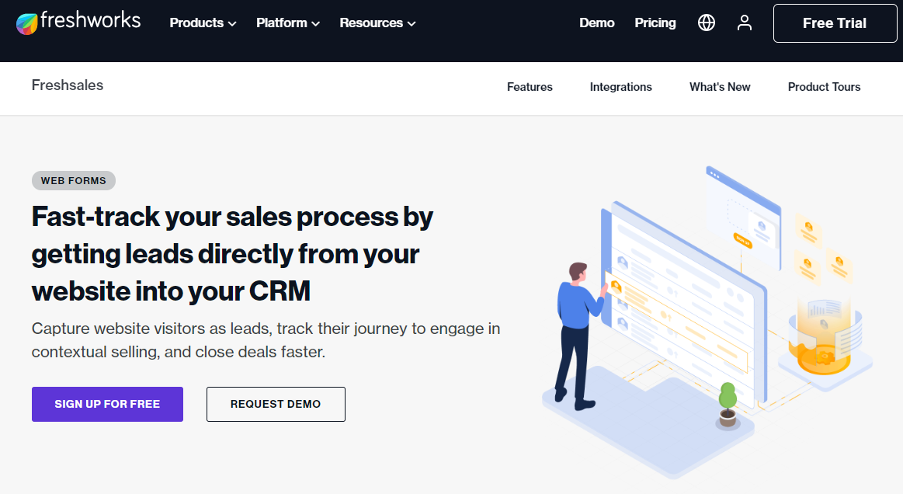
Freshsales Forms by Freshworks is a dynamic web form builder used to capture leads directly from your website and simplify your sales process.
Key features:
- Create and customize forms without coding.
- Connect existing web forms to Freshsales.
- Gain insights into lead behavior and interactions.
- Reduce manual entry errors by automating data updates in your CRM.
- Build forms for sign-ups, blog subscriptions, event registrations, and more.
Considerations:
- Form upgrades are quite costly.

- Some features seem to lack automation options, e.g. it's impossible to duplicate existing forms.

Pricing:
Freshsales Forms is part of the Freshsales CRM, with pricing starting at $15 per month for basic features. More advanced features and premium support are available in higher pricing tiers, starting at $29 per month. Custom enterprise solutions are also at your disposal.
4: Formstack

Formstack is a web form builder made with security and ease of use in mind. Its robust security features make it a common choice among businesses.
Key features:
- HIPAA compliance for handling electronic protected health information.
- Data encryption in transit and at rest, using SSL/TLS.
- Advanced form validation.
- Anti-CSRF tokens to protect against cross-site request forgery.
- Integration with popular apps and services for seamless data collection.
Considerations:
- There aren't many form customization options available.

- Navigation might become challenging when it comes to more complex forms.

Pricing: Formstack offers several pricing plans, starting at $50 per month for basic forms. HIPAA-compliant forms and advanced features are available in higher pricing tiers, starting at $250 per month. Custom enterprise solutions are also available.
Future implications
As technology advances, keeping web forms secure will get tougher.
Here are some of the potential changes we might see in the future:
? Website owners will need to use more advanced security measures to protect input data and keep their trust.
? AI-driven malware protection could become the norm, spotting and fixing threats during form submissions.
? Customer expectations will push for better security. Users will want their data to be stored safely and accessed only by authorized people.
? Future forms might use biometric authentication, making access even more restricted and ensuring HIPAA compliance.
? Strong validation will be key to maintaining a company's reputation. Website owners must stay ahead of new threats by regularly updating their security measures.
? With data privacy laws becoming stricter, the importance of secure form submission and protecting customer data will grow. We will see new, innovative solutions to meet these new challenges.
Wrapping up
Securing your web forms is very important because cyber threats are becoming more advanced.
Protecting your customers' sensitive information helps keep your business safe from data breaches and builds trust with your customers.
Remember, just one data breach can change the course of your business forever.
If you want to start creating the best web forms, try Transpond today and secure your users' data easily.